- enable firmware signature checking on your printer, just in case
- download the latest firmware updater for your printer
- find the firmware version you want (good luck, also dont make sure it won't enable dynamic security)
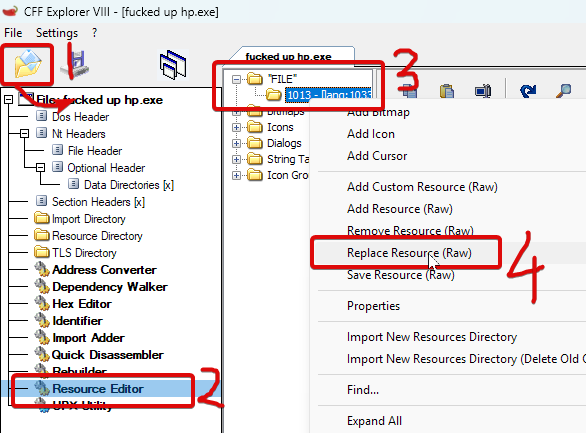
- open the new firmware updater in CFF Explorer and replace the resource called FILE
- "save as", run the updater, click update and pray. tested with network printing but it should work with USB print too
note: if you break your printer i take absolutely zero responsibility, buy yourself a brother printer next time